Phone thermal camera or handheld thermal camera: which should you buy?
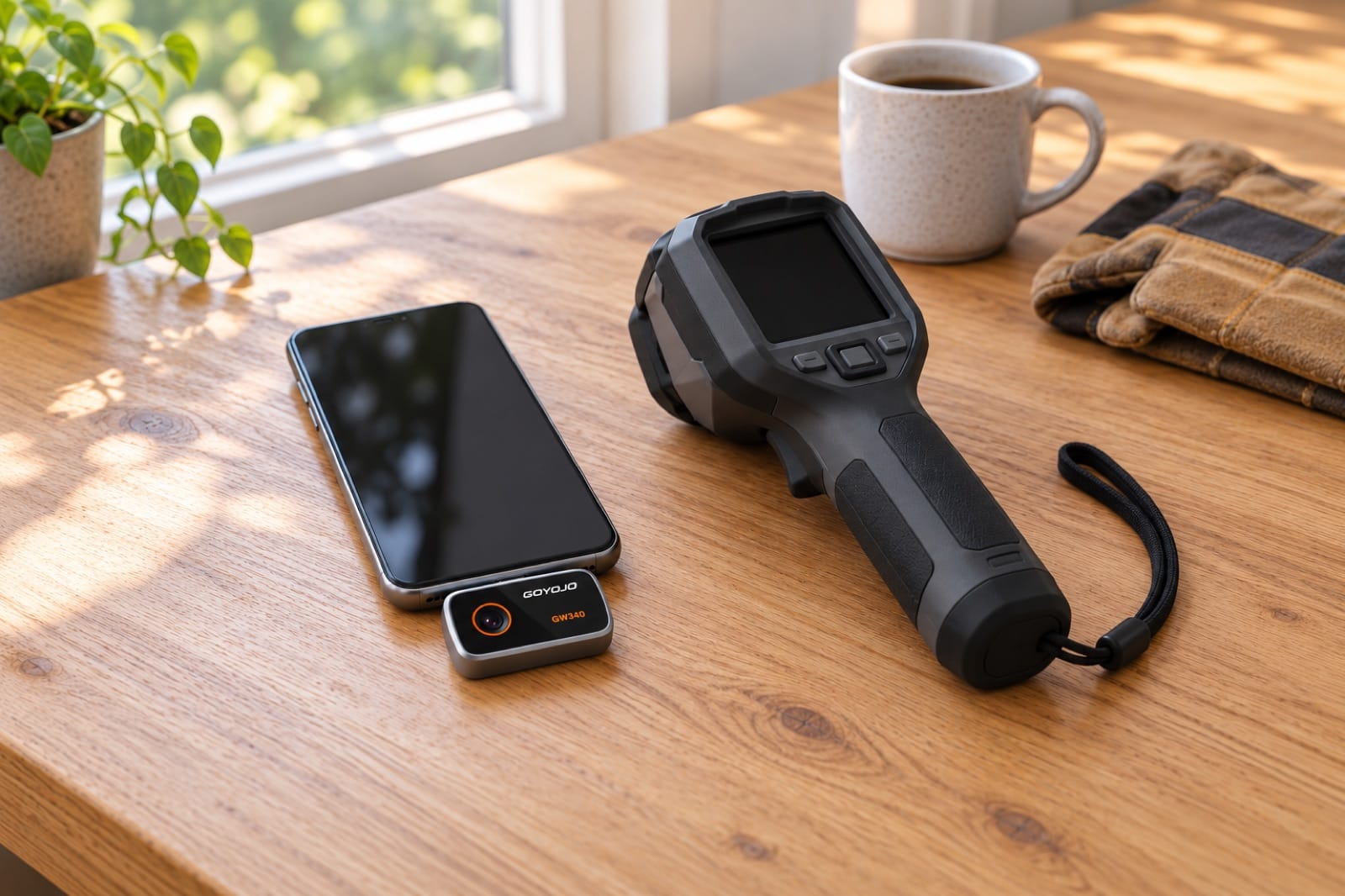
Search for a handheld thermal camera and you'll see two kinds: small modules that plug into your phone, and "pistol" cameras with their own screen and grip. Both show the same purple-to-yellow picture of heat. They suit very different people, and picking the wrong one means paying for things you won't use.
Short answer: Buy a handheld thermal camera if thermal imaging is part of your job: you scan for hours, wear gloves or work on rough sites. For home use, a phone module usually makes more sense, because your phone supplies the screen, processor and battery. Whichever you pick, compare native resolution and sensitivity first.
Here's an honest comparison, the specs that matter more than the shape, and who should buy which.
What's the difference between a handheld thermal camera and a phone module?
| Phone module | Handheld camera | |
|---|---|---|
| What you carry | A small module (ours weigh about 20 g), plus the phone you already have | A separate camera with a grip, often in a case |
| Screen | Your phone's screen: usually large and sharp | Built-in screen, usually smaller |
| Power | Draws from the phone's battery | Its own battery, sometimes swappable |
| Sharing photos | Straight from the phone: messages, email, cloud | Usually via a cable, memory card or a separate app |
| Toughness | As tough as your phone | Many are built for job sites, some with drop and dust ratings |
| Gloves and one hand | Touchscreen; awkward with thick gloves | Physical buttons and a trigger |
| Where your money goes | Mostly into the thermal sensor, because the phone supplies the screen, processor and battery | Split between the sensor and the screen, battery, case and buttons |
| Works with | Compatible phones only | Anything: no phone needed |
What's the same in both?
The part that sees heat is the same kind of thing in nearly every consumer thermal camera: an uncooled thermal sensor, or microbolometer, behind a lens that lets infrared through. Shape doesn't change the physics. If you want the fuller version, our guide to how a thermal camera works explains it.
So the skills are the same too. Either camera reads surface temperature, not what's inside the wall. Either one is fooled by reflections from shiny surfaces. Either one needs a temperature difference to show a problem. If you've read our guide to reading a thermal image, all of it applies to both.
What decides how good the picture is isn't the shape. It's the sensor and lens behind it.
When does a phone module win?
- It's always with you. A module fits in a pocket or a drawer, so it's there when you notice a cold spot, a warm outlet or a damp corner, not in a case in the garage.
- The screen is usually better. A phone screen is typically bigger and sharper than the built-in screen of a handheld at a similar price, which makes small details, like a single pipe or a thin draft line, easier to see.
- Sharing is instant. The photo is on your phone. Sending it to a plumber, an electrician, a landlord or an insurer takes seconds.
- More of the price is sensor. Because the phone already supplies the screen, processor and battery, a module can put more of its price into thermal resolution.
- The app can improve. New features can arrive as app updates; a handheld's software is often fixed when you buy it.
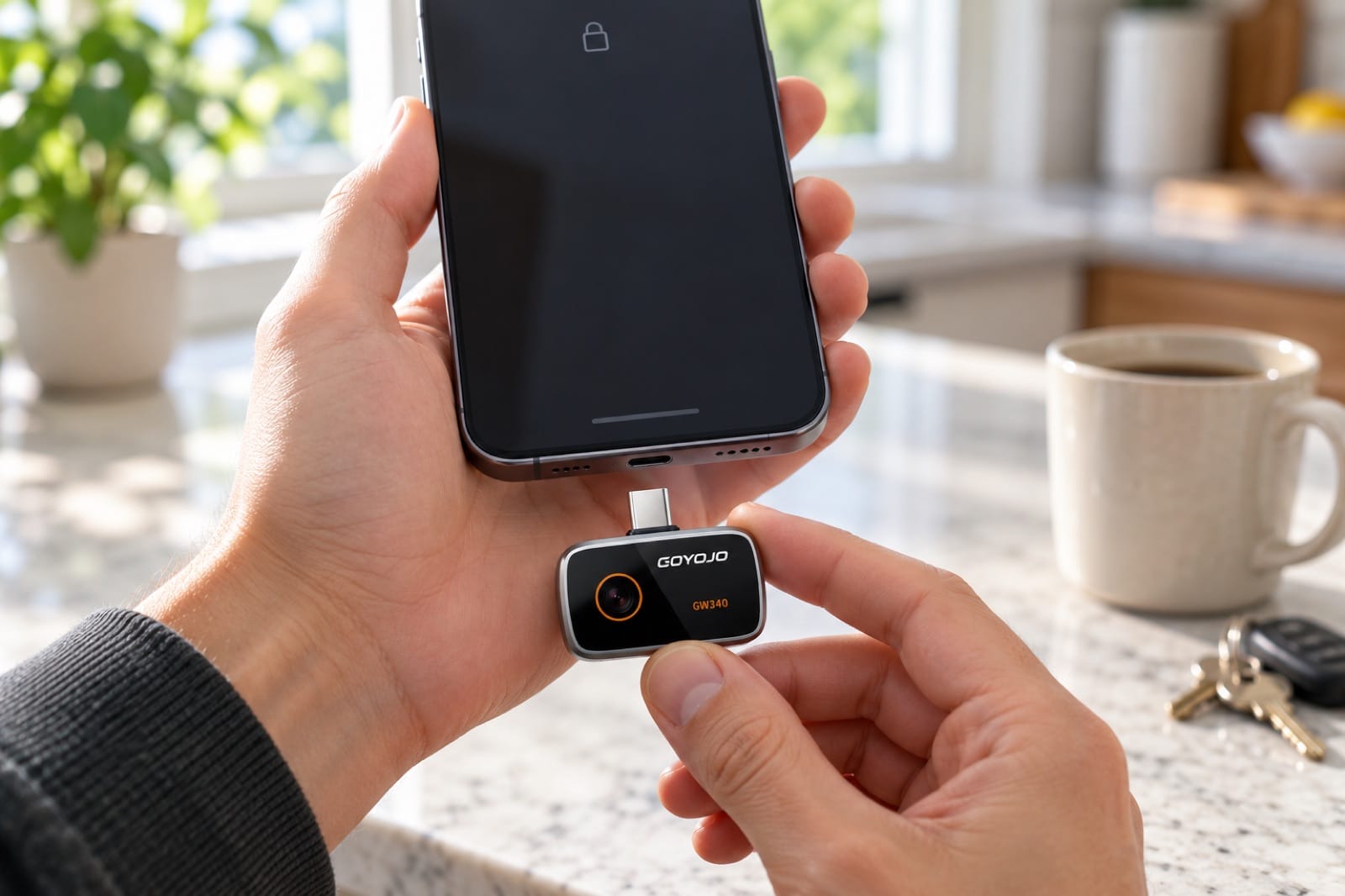
Illustration: the module uses the phone's screen, processor and battery, so it fits in a pocket and goes wherever the phone goes.
When does a handheld thermal camera win?
Being fair about it, a dedicated camera is the better choice for some people.
- All-day, daily use. Inspectors, electricians and air-conditioning technicians who scan for hours want a camera that doesn't drain their phone or get interrupted by calls.
- Rough conditions. Roofs, attics, rain, dust and baking-hot job sites are easier on a rugged camera with a grip and a wrist strap than on a phone.
- Gloves. Buttons and a trigger work with work gloves; touchscreens often don't.
- Professional extras. Higher-end handhelds can add things like a visible camera blended with the thermal image, a laser pointer, interchangeable lenses or reporting software. Useful for a business, rarely needed at home.
- No compatibility questions. A handheld doesn't care which phone you have or whether you change it next year. If your phone doesn't have a USB-C port, that alone may settle it.
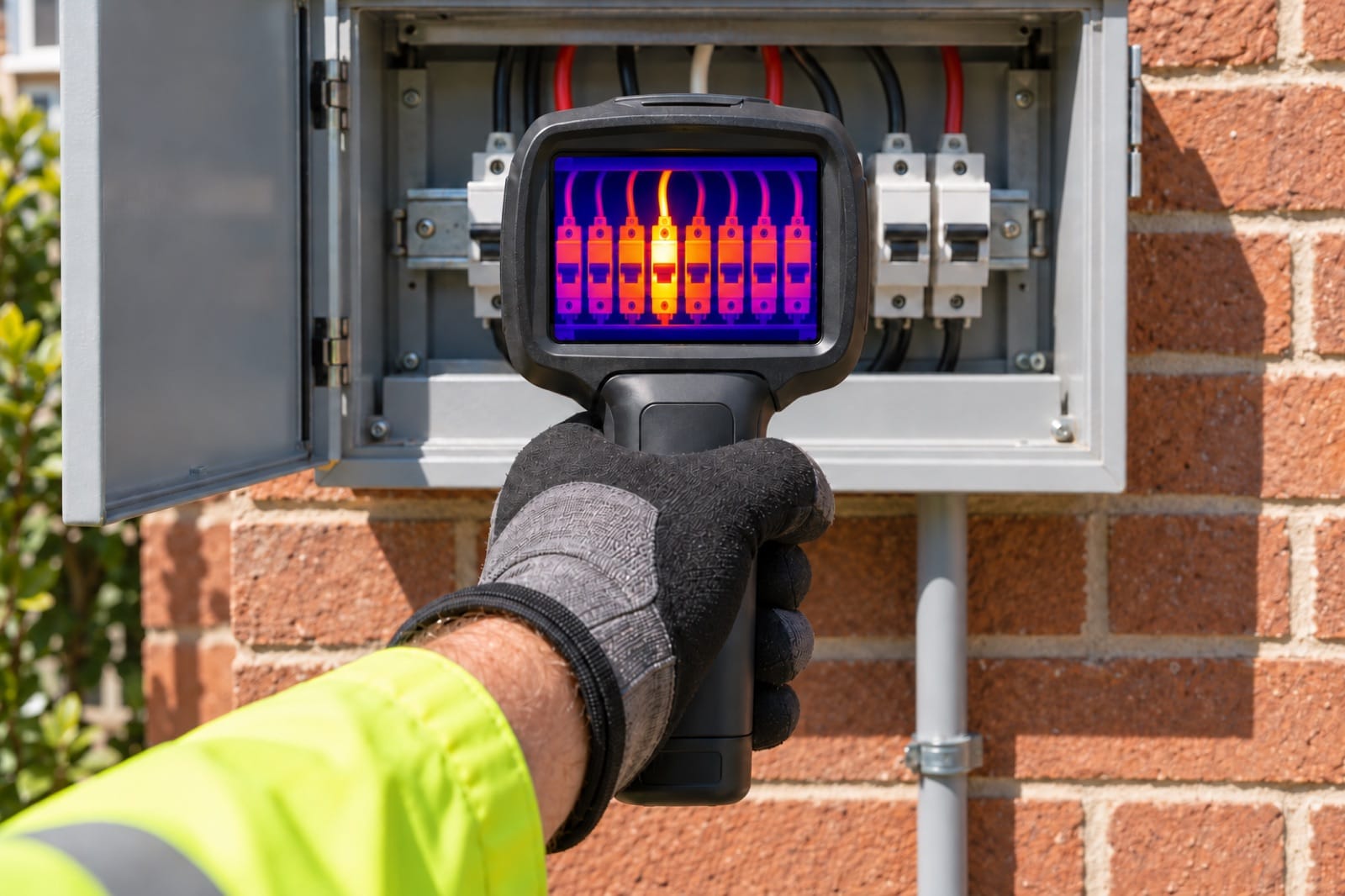
Illustration: for daily work outdoors and with gloves on, a rugged handheld with buttons and a trigger is the easier tool.
How do you choose the best handheld thermal camera?
Whichever kind you look at, compare these, and don't let the shape distract you:
- Native thermal resolution. The number of real temperature points, such as 256 × 192. Many listings lead with an "enhanced" or upscaled figure. That's software smoothing, useful on screen, but it doesn't add real detail.
- Thermal sensitivity (NETD). Shown in millikelvin (mK). Lower is better: 50 mK picks up smaller temperature differences than 100 mK, which matters for faint damp patches and insulation gaps.
- Field of view. A wider view fits a whole wall or ceiling in a room; a narrower one sees further.
- Frame rate. Some cameras run at about 9 frames per second, which looks jerky as you move. 25 Hz or more feels smooth when you sweep a wall.
- Temperature range. For a house, about −20 to a few hundred °C covers everything from a cold window to a hot circuit breaker.
Our Spark vs Spark Pro guide shows what resolution means in practice: how far back you can stand and still see a single pipe. For the numbers in more depth, see thermal camera specs explained. If you want to see how phone cameras line up against known brands, our Spark Pro vs FLIR, TOPDON and Thermal Master comparison sets the published specs side by side.
What mistakes do people make when buying?
- Comparing the enhanced number. Two cameras can both advertise the same big resolution figure while one has far fewer native pixels. Look for the native number, often in the smaller print.
- Buying an infrared thermometer by accident. A spot thermometer reads one point; it doesn't show you a picture. Our comparison of thermal cameras, night vision and IR thermometers explains the difference.
- Paying for extras you won't use. Interchangeable lenses and report software are valuable to a business. At home, they mostly make the camera bigger.
- Skipping the phone check. A module only helps if it fits your phone and your case. Check our phone compatibility guide before you order.
- Expecting it to see through walls. No thermal camera does, handheld or phone. It shows the surface, and you reason back from there.
Who should buy which?
Choose a handheld if thermal imaging is part of your job, you work outdoors or on sites most days, you wear gloves, or you need the extras for reports.
Choose a phone module if you want to:
- Find leaks, damp, drafts and missing insulation in your own home.
- Check a house or apartment before you buy or rent it.
- Trace hot water pipes and radiant floor heating before you drill.
- Check outlets, the AC, the water heater and appliances.
- Send clear photos to the pro who will fix it.
That's most homeowners, renters and DIYers. If you'd like a plan for using one, our DIY home inspection checklist goes through a whole house in a weekend.
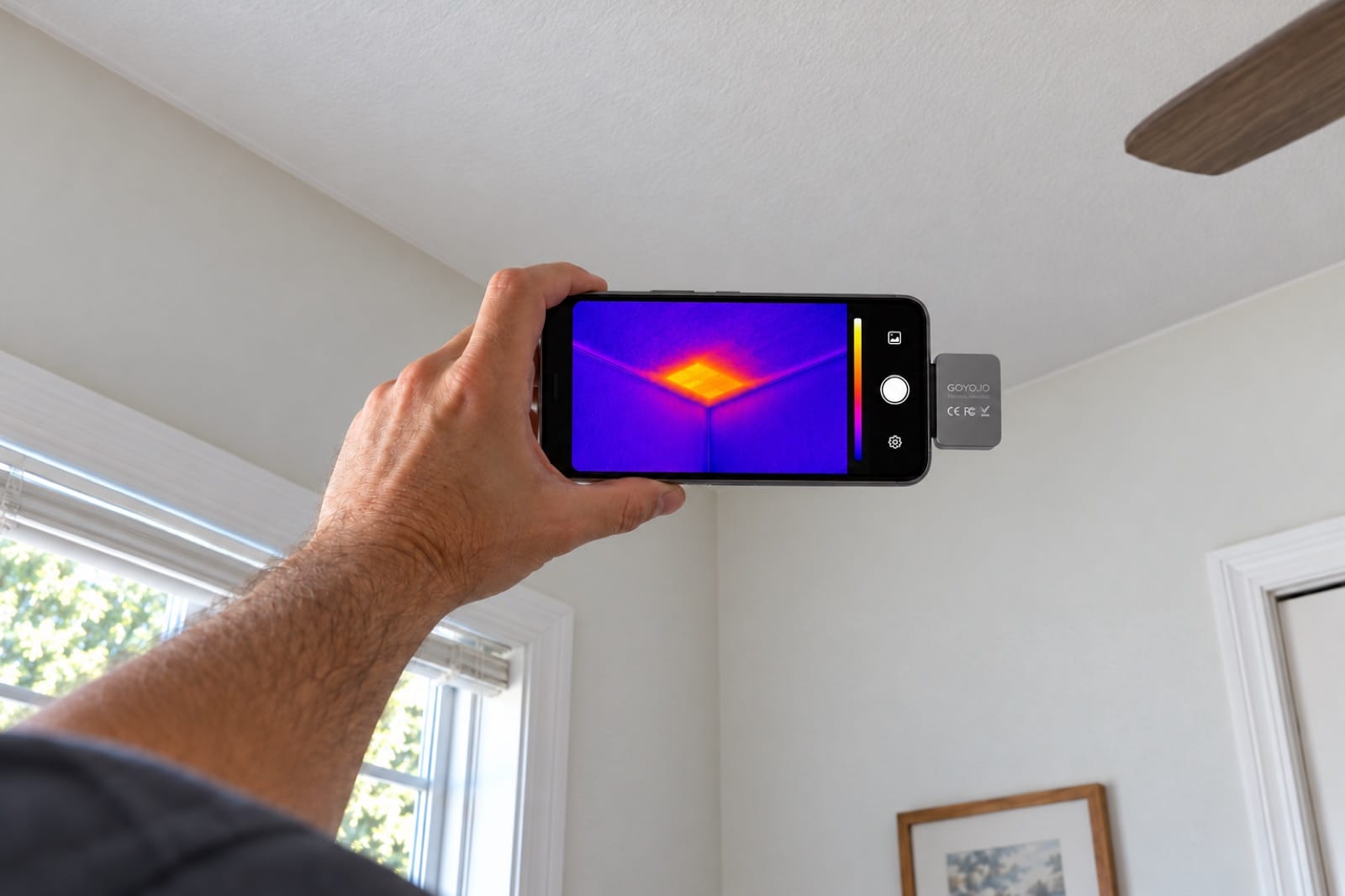
Illustration: on a hot afternoon, a sharp-edged hot patch on the ceiling shows where insulation is missing in the attic.
Spark Pro: the phone camera we'd pick for a house
Spark Pro (GOYOJO GW340) is the module we built our guides around:
- 256 × 192 native thermal pixels, shown at 512 × 384 enhanced.
- 50 mK sensitivity for faint damp patches and drafts.
- 50° × 37.5° field of view: a whole wall in one frame from a few steps back.
- 25 Hz, so it stays smooth as you sweep a room.
- −20 to 350 °C.
- About 21 g, plugs into USB-C: iPhone 15 to iPhone 18, and Android 12 or later. Free THG Start app.
A single 15 mm pipe is sharp from about 1.4 m away.
If you'll mostly work up close, on one wall or one problem, Spark has the same app and colors with a 96 × 96 sensor.
Frequently asked questions
Will a phone thermal camera drain my battery?
It draws power from the phone, so a long session uses battery. For a whole-house scan, start with a charged phone and keep a power bank nearby if you have one. For a quick look at one wall or one outlet, the drain is unlikely to matter. If you expect to scan for hours every day, that's one of the real arguments for a handheld with its own battery.
Will it work with my phone case?
A thick case can stop the plug from seating fully in the port. Take the case off if it doesn't click in, then try again. Because the module sits directly on your phone, it also moves when you move, so a loose connection can interrupt the image. If you keep a rugged case on all the time, a quick case-off routine is worth getting used to.
What if I change phones?
It plugs into USB-C. Most Android phones and recent iPhones use it, so a module usually moves with you to the next phone. Check the phone compatibility list before you upgrade. For more on specific devices, see our guides to a thermal camera for iPhone and to thermal and inspection cameras for Android.
Is a phone thermal camera a toy?
No. The sensor is the same type used in handheld cameras. What you're giving up is the grip, the separate battery and the rugged case, not the thermal image. That said, sensor quality varies across both kinds of camera, so a low-resolution model of either shape will show less. Judge it by the native resolution and sensitivity, not by whether it has a handle.
Is a handheld thermal camera good for hunting?
The cameras in this comparison are made for looking at houses and equipment at short range, not for spotting animals far away. Hunting units are usually monoculars or scopes, with narrower lenses and longer range, and they often have a very different price and purpose. If that's your use, shop for those specifically. A wide-angle home camera will show a warm animal nearby, but it won't show much detail at a distance.
The tools in this guide
Prices are on each product page, in your local currency.
- Spark Pro — 256 × 192 thermal pixels, 50 mK, 25 Hz: a whole wall in one frame, a single pipe from across the room.
- Spark — 96 × 96 thermal pixels, the same app and colors, for close-up checks.
Ready to see the heat in your home? Order Spark Pro and keep a real thermal camera in your pocket, or get the Whole Home Kit with the Damp moisture meter and the Reach 360 inspection camera for 10% less than buying them separately.